
Order and Inventory Management Software for Skilled Nursing Facilities
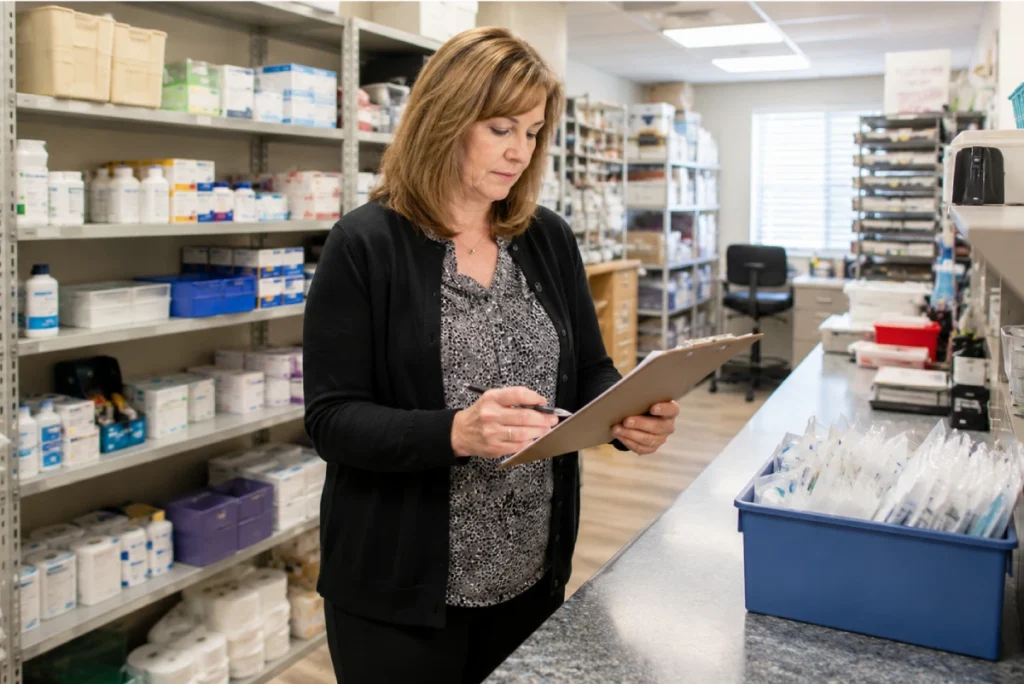
Running out of clinical supplies mid-shift or over-ordering items that sit unused in a storage room are both expensive problems for skilled nursing facilities. LTC Apps gives your facility order and inventory management software that tracks real-time inventory levels, automates supply ordering based on stock thresholds, manages vendor relationships, and generates audit-ready reports inside the same platform your team uses for admissions, scheduling, and HR.
Order and inventory management software for skilled nursing facilities helps SNF administrators and department heads track supply levels in real time, automate reorder processes when stock runs low, manage vendor contracts and purchase orders, and stay compliant with healthcare inventory regulations through automated reporting. LTC Apps Order and Inventory Management is a native module built directly into the LTC Apps platform. Supply coordinators can monitor inventory levels across all departments, set custom reorder thresholds based on usage patterns, place orders, track order status from placement to delivery, manage vendor agreements and contact details, and generate audit-ready reports for inspections and compliance reviews without leaving the platform their team already uses every day. It is nursing home inventory management software built for the full complexity of LTC and SNF supply chain operations.
Download Brochure
Download Now to learn more about how LTC Apps can transform your operations and help you focus on what matters most caring for your residents.
Our Services
What Happens When SNF Supply Management Runs Without a Dedicated System
Supply management in a skilled nursing facility involves more moving parts than most administrators anticipate. Clinical supplies, medications, office materials, and maintenance items all need to be tracked across multiple departments with different usage rates and different reorder lead times. When this is managed through spreadsheets, paper purchase orders, and verbal vendor calls, the gaps show up in predictable ways.
Stock outs happen when nobody notices that a critical supply is running low until it is already gone. Overstocking happens when multiple people order the same item independently because there is no shared visibility into what is already on hand. Vendor relationships become difficult to manage when contracts and contact information live in different places and nobody has a clear record of order history or delivery performance. During surveys and audits, documenting supply usage and order records takes hours that should not be spent pulling information from disparate sources.
LTC supply chain software that tracks inventory levels in real time, automates ordering when thresholds are reached, and keeps vendor and compliance records organized gives your facility the supply chain visibility it needs to avoid stock outs, reduce waste, and stay audit-ready without adding administrative burden to the staff who are already managing resident care.
Key Features of
Order and Inventory Management Works
LTC Apps monitors your real-time inventory levels and automatically generates purchase orders when stock falls below the thresholds your facility has set. Instead of a supply coordinator manually checking inventory and placing orders based on what they remember needing, the system tracks usage patterns and initiates the reorder process when supplies reach the configured minimum level.
Automated medical supply ordering inside LTC Apps includes:
- Automated order generation triggered when inventory drops below predefined reorder thresholds
- Custom reorder levels set based on your facility's actual usage patterns per supply category
- Real-time inventory data drives the ordering process rather than manual estimation
- Eliminates manual tracking and prevents over-purchasing from multiple staff ordering independently

Track every supply item across your facility with real-time inventory visibility. LTC Apps stores detailed inventory data for all supply categories including clinical supplies, medications, equipment, and office materials so your team always knows what is on hand, what is running low, and what usage trends look like over time.
SNF inventory tracking software inside LTC Apps includes:
- Real-time inventory tracking for all supply categories including clinical supplies, equipment, and office materials
- Track usage patterns over time to optimize reorder quantities and reduce both stockouts and excess inventory
- Detailed inventory reporting to identify which items are used most frequently and which are being over-ordered
- Supply visibility across departments so every team member with access sees the same inventory picture

Placing supply orders inside LTC Apps is designed to be straightforward for any staff member who needs to initiate a purchase without requiring them to navigate a complex procurement system. Orders can be placed quickly with minimal manual input, tracked from placement through delivery, and updated in real time as the order moves through the process.
Nursing home order management system ordering process includes:
- Easy order placement with minimal manual input from the staff member initiating the purchase
- Track order status from placement through delivery in real time without calling the vendor for updates
- Real-time updates on order progress including expected delivery times as they are confirmed
- All staff members with appropriate access can place orders and track their status from the same platform

Managing vendor relationships across a skilled nursing facility means keeping track of contracts, service agreements, contact information, order histories, and delivery schedules for multiple suppliers. LTC Apps consolidates all of that into one place so your supply coordinator has everything they need to manage vendor relationships efficiently without searching through emails, paper files, or separate spreadsheets.
SNF supply ordering software vendor management inside LTC Apps includes:
- Track vendor contracts and service agreements in one organized location
- Manage purchase orders, delivery schedules, and order histories per vendor
- Maintain up-to-date vendor contact details for smooth communication and timely deliveries
- Vendor performance tracking to identify suppliers with consistent delivery issues or cost overruns

Skilled nursing facilities are subject to inventory management requirements under Medicare, Medicaid, and state survey standards. LTC Apps generates audit-ready reports for supply usage, order history, vendor performance, and inventory status so your facility can demonstrate compliance during inspections without scrambling to compile records from multiple sources.
Compliance and reporting inside LTC Apps Order Management includes:
- Audit-ready reports covering supply usage, order history, and current inventory status
- Documentation of all supply orders with timestamps, vendor details, and delivery confirmation
- Vendor performance records for inspections that require documentation of supplier agreements and delivery history
- Automated tracking eliminates manual record-keeping for compliance documentation

Stop Managing Supply Chain Across Spreadsheets, Emails, and Phone Calls
The most common supply chain problem in skilled nursing facilities is not a lack of process. It is that the process is spread across too many places. The purchase orders are in one spreadsheet. The vendor contacts are in someone’s email. The inventory count is on a clipboard in the supply room. The compliance records are in a filing cabinet. When something goes wrong during a survey or a supply runs out unexpectedly, pulling everything together takes time your team does not have.
LTC Apps medical supply management for SNFs puts inventory tracking, automated ordering, vendor management, and compliance reporting in one place. Your supply coordinator logs into the same platform they use for admissions and scheduling and has full visibility into inventory levels, pending orders, and vendor status from one dashboard. When a supply hits the reorder threshold, the system generates the order automatically. When an auditor asks for supply documentation, the reports are ready without anyone having to compile them manually.
For skilled nursing facilities that manage supply chain across multiple departments with different usage patterns, having a dedicated LTC supply chain software module inside the same operations platform your team already uses removes the coordination overhead that makes supply management harder than it needs to be.
Who Uses LTC Apps Order and Inventory Management
LTC Apps order and inventory management is used by three main groups inside skilled nursing facilities.
Supply Coordinators and Department Heads who manage day-to-day ordering and inventory tracking across clinical, administrative, and maintenance departments and need nursing home inventory management software that automates reordering, keeps vendor information organized, and provides real-time visibility into what is on hand without manual counting and spreadsheet updates

SNF Administrators who need to ensure the facility stays stocked without overspending, maintain audit-ready supply documentation for surveys and inspections, and have visibility into supply usage trends across departments without requesting reports from multiple staff members

Business Office Managers who oversee procurement and vendor contracts and need a system that tracks purchase orders, delivery history, and vendor agreements in one place so cost management and compliance documentation do not require pulling records from separate sources

Whether your facility manages supply ordering for one building or coordinates procurement across multiple locations, LTC Apps gives your supply management team a system that handles the full scope of SNF inventory and ordering operations inside the platform the rest of your facility already uses.
Get Started Today
with LTC Apps Order request a free demo.
OUR SIMPLE ORDER AND INVEMTORY MANAGEMENT PROCESS
How LTC Apps Order and Inventory Management Works in 4 Steps
Managing supply orders and inventory inside LTC Apps follows four clear steps.
01. Track Inventory
Monitor real-time inventory levels across all supply categories. Set custom reorder thresholds based on your facility’s actual usage patterns per item so the system knows when to trigger a reorder.
02. Automate Orders
When inventory falls below the configured threshold, LTC Apps automatically generates a purchase order for the required supplies so your supply coordinator does not have to manually monitor levels and initiate orders.
03. Manage Vendors
Track supplier agreements, maintain vendor contact details, and manage purchase orders and delivery schedules inside LTC Apps so all vendor information is in one place and accessible to everyone who needs it.
04. Generate Reports
Create audit-ready reports for supply usage, order history, and inventory status whenever your facility needs documentation for inspections, surveys, or internal cost management reviews.
Works Better Alongside These LTC Apps Modules
Order and Inventory Management connects naturally with other parts of the LTC Apps platform. Used together these modules give your facility a complete operational workflow that connects supply chain to clinical and administrative operations.
Admissions and Patient Intake
When a new resident is admitted through the LTC Apps admissions module, their care needs can inform which clinical supplies need to be available, helping supply coordinators anticipate demand based on the incoming resident census
Hot Rack (Nursing Assignment Management):
Clinical supply needs identified through nursing assignment management can be connected to supply ordering so the supplies required for active nursing assignments and physician orders are tracked against available inventory
Maintenance
The maintenance module tracks facility work orders and equipment needs. Coordinating maintenance supply orders through the same platform as clinical and administrative ordering gives administrators a complete picture of facility-wide procurement
Using these modules together means supply ordering is informed by clinical activity, resident census, and facility maintenance needs rather than managed in isolation from the operational data that actually drives supply consumption.
BENEFITS & ANSWERS
Frequently Asked Questions About Order and Inventory Management
LTC Apps Order and Inventory Management includes automated supply ordering based on real-time inventory levels and custom reorder thresholds, inventory tracking across all supply categories, vendor management for contracts and purchase orders, a streamlined ordering process for any staff member to place and track orders, and compliance reporting for audits and inspections. All of this is accessible from the same platform your facility uses for admissions, scheduling, eligibility verification, and HR.
Your supply coordinator sets custom reorder thresholds for each supply item based on your facility's usage patterns. When real-time inventory levels drop below those thresholds, LTC Apps automatically generates a purchase order for the required supplies. This eliminates the need for manual inventory counts and manual order initiation, reducing the risk of stockouts when staff are busy with resident care.
LTC Apps Order and Inventory Management tracks all supply categories used in skilled nursing facilities including clinical supplies, medications, equipment, and office materials. The system stores detailed inventory data for each category and tracks usage patterns over time so reorder quantities can be optimized based on actual consumption rather than estimates.
LTC Apps stores vendor contracts, service agreements, contact information, purchase order history, and delivery schedules for all your suppliers in one place. Your supply coordinator can manage vendor relationships, track order history per vendor, and maintain current contact details without searching through email threads or paper files. Vendor performance tracking helps identify suppliers with consistent delivery issues so your facility can make informed procurement decisions.
Yes. LTC Apps generates audit-ready reports covering supply usage, order history, vendor agreements, and current inventory status. These reports can be produced for surveys, inspections, and Medicare or Medicaid compliance reviews without manually compiling records from separate systems. Automated tracking ensures that all supply transactions are documented with the detail required for compliance documentation.
No. Order and Inventory Management is a native module inside LTC Apps accessible from the same login your team uses for all other modules. Staff members with the appropriate access level assigned in HR can place orders, check inventory levels, and view vendor information from the same platform without a separate procurement system login.
CONTACT US NOW
See How LTC Apps Handles Order and Inventory Management for Your SNF
Managing clinical supplies across a skilled nursing facility on spreadsheets, paper purchase orders, and vendor phone calls creates exactly the kind of gaps that lead to stockouts, overspending, and compliance documentation that takes hours to pull together. LTC Apps gives your facility order and inventory management software that tracks real-time inventory, automates ordering when supplies run low, keeps vendor and purchase order records organized, and generates audit-ready reports when your team needs them. All of it runs inside the same platform your facility uses for admissions, scheduling, eligibility verification, and HR with no separate procurement system required.

Book a free demo today and see how LTC Apps can simplify supply chain management for your skilled nursing facility.