
Visitor Management for Skilled Nursing Facilities
A paper visitor sign-in log at the front desk does not tell you who is in the building right now, who visited last Tuesday, or which visitors have not signed out. LTC Apps gives your skilled nursing facility a self-service visitor check-in screen, automatic thermal badge printing, a complete searchable visitor log, and a built-in tool to collect Google reviews from families while they are still in the building.
Visitor management software for skilled nursing facilities helps administrators and front desk staff track every visitor who enters the building with a self-service check-in process, automatic badge printing, and a complete digital visitor log that replaces paper sign-in sheets. LTC Apps Visitor Management is a native module built directly into the LTC Apps platform. Visitors check themselves in at a front desk tablet or laptop, enter their name, phone number, email, and purpose of visit, and a thermal badge prints automatically without any staff involvement. Administrators access a complete visitor log filtered by date, download visitor reports, generate bulk barcode labels, and send Google review requests to selected visitors via SMS from the same platform their team uses for admissions, scheduling, and HR.
Download Now to learn more about how LTC Apps can transform your operations and help you focus on what matters most caring for your residents.
What a Paper Visitor Log Can not Tell You About Your Facility
Most skilled nursing facilities still manage visitor access with a paper sign-in log at the front desk. A visitor walks in, writes their name, the time, and who they are visiting. Someone behind the desk may or may not check the entry. By the end of the week the log has 200 entries in handwriting that varies between barely legible and completely unreadable. When a surveyor asks who visited on a specific date or whether a specific individual was in the building during a particular time window, someone has to physically search through those pages.
The paper log also creates a practical security gap. It tells you who signed in but not who signed out. It tells you who the visitor said they were visiting but not whether they actually went to that floor. It creates no badge for identifying who is a cleared visitor versus someone who walked in behind a family member. During a survey or an incident investigation, the paper log provides a record that is partial at best and defensible only with significant effort.
For skilled nursing facilities managing 20 to 50 visitors per day across multiple entry points and multiple floors, SNF visitor log software that captures every entry digitally, prints an identifying badge automatically, and produces a searchable downloadable record changes what your front desk can actually tell you about who is in the building and when.
Key Features of Our Visitor Management
LTC Apps Visitor Management gives your front desk a public-facing check-in screen on a tablet or laptop that visitors use themselves without needing staff assistance. The visitor enters their name, phone number, email address, and purpose of visit directly on the screen. When they submit, the visitor record is created instantly in the admin dashboard and the badge prints automatically at the connected thermal printer.
The self-service visitor check-in screen inside LTC Apps includes:
- Public-facing check-in form on a front desk tablet or laptop accessible to arriving visitors
- Fields: visitor name, phone number, email address, and purpose of visit
- Visitor record created instantly in the admin log on submission
- No staff involvement required for the check-in process
- Badge prints automatically at the thermal printer the moment the visitor submits their details
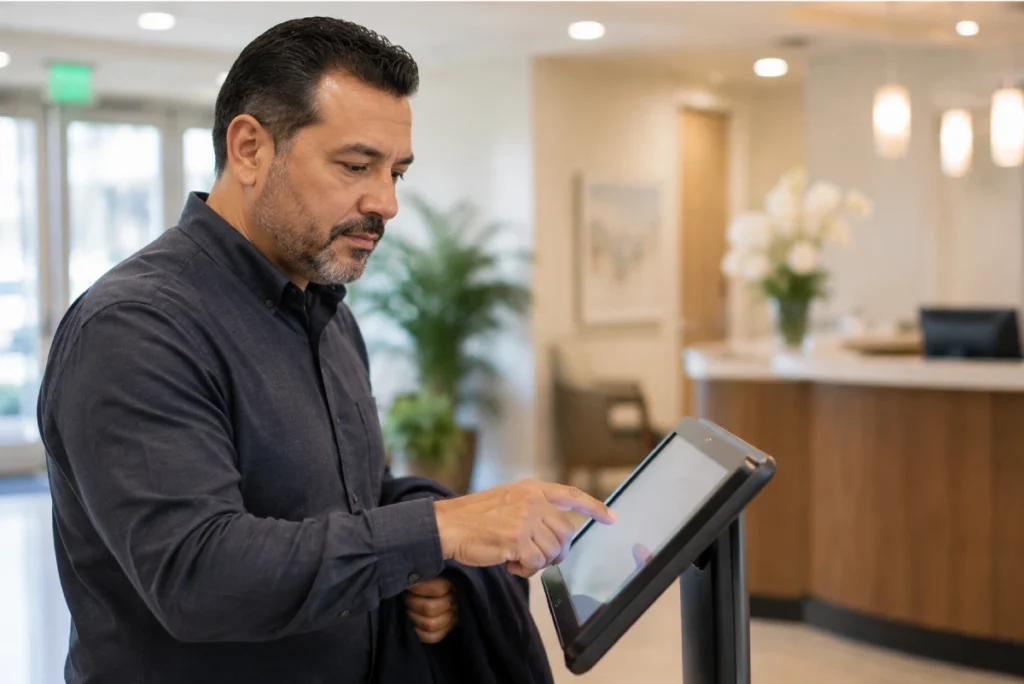
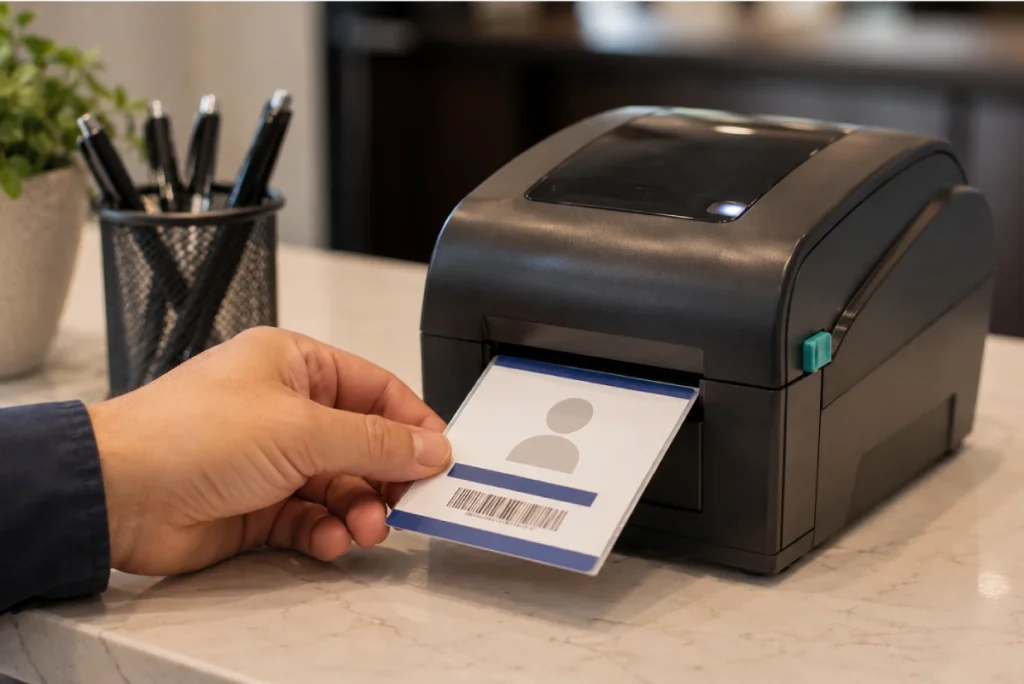
Every visitor who checks in through LTC Apps receives a printed badge automatically at the moment they complete the check-in screen. No staff member needs to approve or trigger the print. The thermal printer connected to the system generates the badge immediately so the visitor can put it on before they move into the facility. Every person in the building with a current LTC Apps badge has been through the check-in process and is in the visitor log.
Thermal badge printing inside LTC Apps includes:
- Automatic badge print triggered immediately when a visitor completes the check-in form
- Thermal printer generates the badge without staff intervention
- Every badged visitor has a corresponding record in the visitor log with their name, phone, email, and check-in time
- Provides a visual identifier for staff and nursing teams to distinguish cleared visitors from unregistered individuals
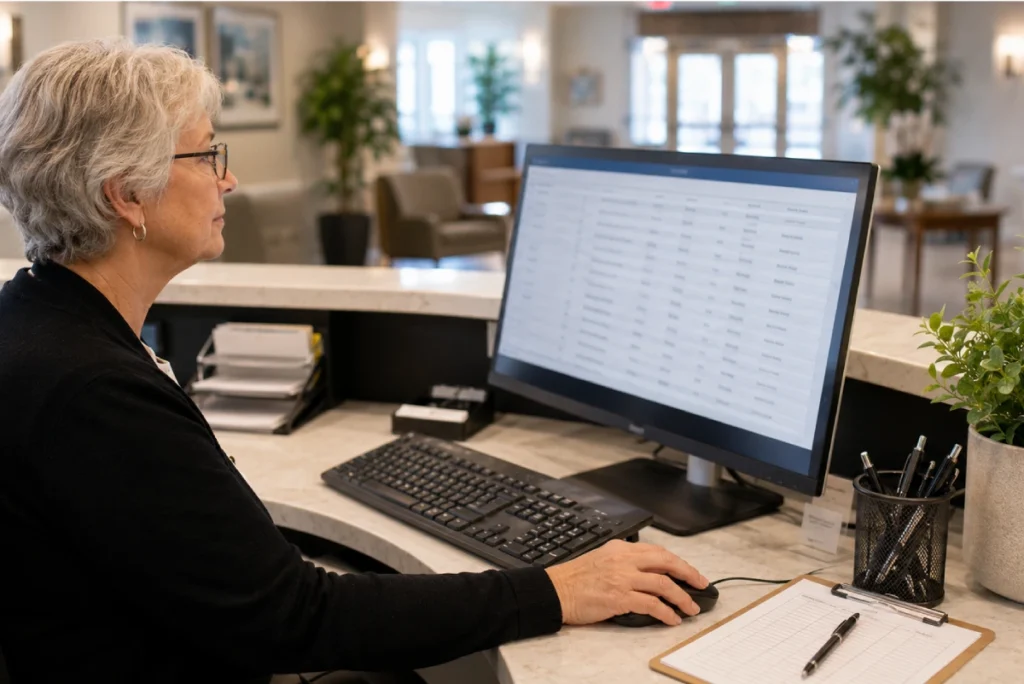
Every visitor check-in is recorded in a searchable admin dashboard that your front desk and administrators can access at any time. The log shows every visit with the visitor’s badge number, name, company or affiliation, date, phone number, email address, and current status. Administrators can filter the log by date range to review visits from any specific period without searching through paper records.
The SNF visitor log software inside LTC Apps includes:
- Complete log of every visitor check-in with Badge Number, Name, Company, Date, Phone, Email, and Status
- Date range filter to view visits from any specific period instantly
- Searchable records that can identify any visitor by name, phone, or email without manual page searching
- Status tracking showing current check-in status for each visitor record
- Complete digital replacement for paper sign-in sheets with no data loss or legibility issues
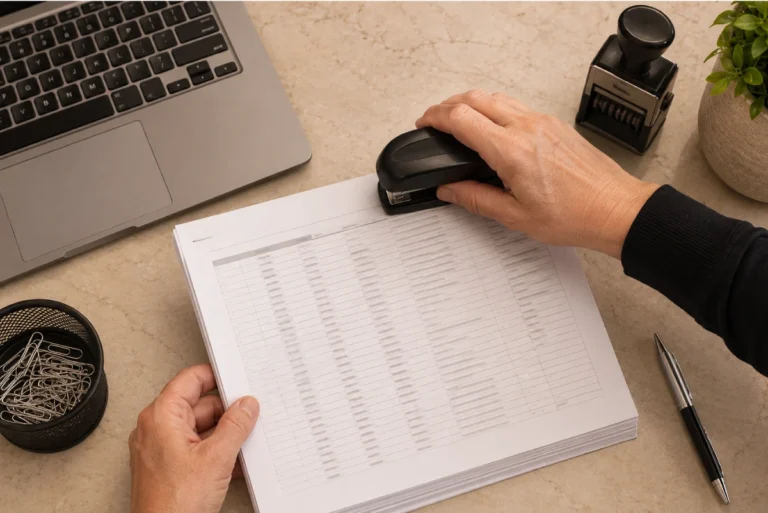
The visitor log inside LTC Apps is not just searchable on screen — it is exportable on demand. Your administrator sets a date range and downloads the complete visitor report for that period with one click. The downloaded report includes all visitor fields for every check-in during the selected window, giving your team a complete record for surveys, audits, incident investigations, or internal reporting without any manual compilation.
Visitor report download inside LTC Apps includes:
- One-click download of the complete visitor log for any selected date range
- Downloaded report includes all visitor fields: Badge Number, Name, Company, Date, Phone, Email, and Status
- Available in a format suitable for survey documentation, incident investigation, and internal reporting
- No manual data compilation required to produce a visitor record for any time period
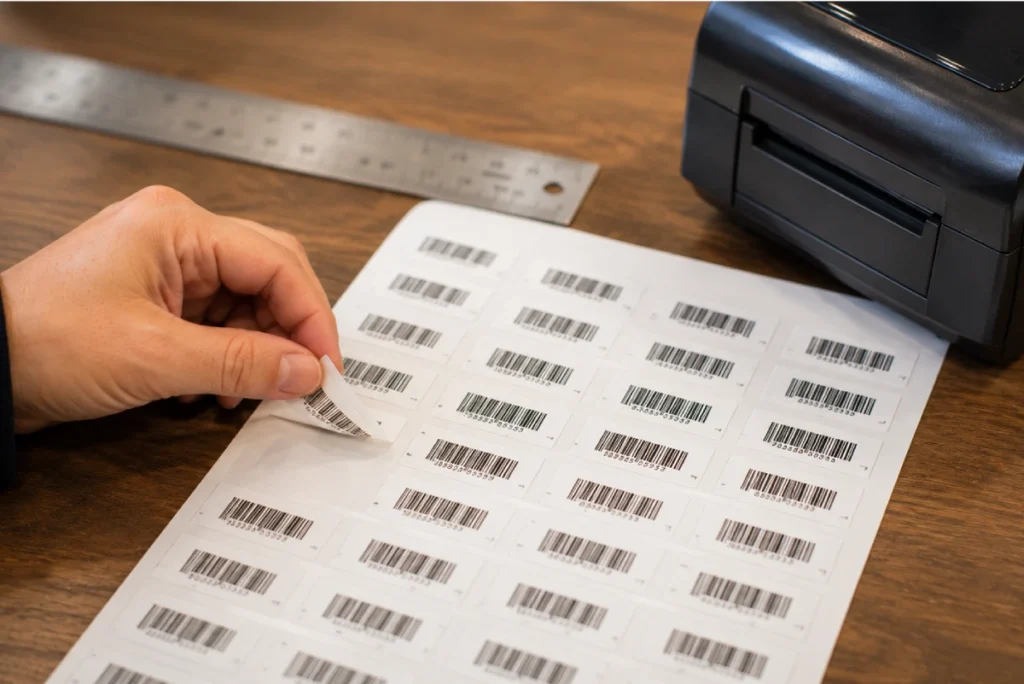
LTC Apps includes a barcode label generation tool that allows your team to produce a batch of barcode labels in one action. Set the starting barcode value and the quantity needed, and the system generates a complete sheet of barcode labels ready for printing. This is useful for facilities that use barcode labels for visitor badge pre-printing, supply tracking, or resident identification across other workflows in the building.
Bulk barcode label generation inside LTC Apps includes:
- Set a starting barcode value and a quantity to generate the full label batch
- Download the complete barcode label sheet ready for printing
- Useful for visitor badge pre-printing and other barcode-based workflows across the facility
- One action generates the full batch without individual label creation
LTC Apps Visitor Management includes a built-in tool that lets your administrator send Google review requests to visitors via SMS. Select the visitors you want to reach from the visitor log, customize the pre-filled message, and send. A Google Review display dashboard inside LTC Apps shows the facility’s current Google reviews so your team can monitor feedback without leaving the platform.
Google review collection inside LTC Apps includes:
- Select individual or multiple visitors from the visitor log to receive an SMS review request
- Customizable pre-filled message with your Google Review link included
- Send bulk SMS review requests to selected visitors in one action
- Google Review display dashboard inside LTC Apps shows current facility reviews
- Captures family feedback while the positive experience of visiting a loved one is still fresh

A Visitor Log That Works Before and After a Survey
The paper visitor log at a skilled nursing facility front desk does two things. It gives the impression of controlled access and it creates a record that is genuinely difficult to use. When a surveyor asks for the visitor log from a specific week, someone finds the right page, hopes the handwriting is legible, and copies out the entries by hand. When an incident investigation requires knowing who was in the building during a specific time window, the same process runs under more pressure and with higher stakes.
LTC Apps nursing home visitor management system replaces that process entirely. Every visitor who checks in is in the digital log with their name, contact details, check-in time, and status. When a surveyor asks for a visitor record, the administrator sets a date range and downloads it in seconds. When an incident investigation needs a specific visitor’s contact details, the log is searchable by name, phone, or email without any manual effort. The badge printing means every person in the building with a visible badge has been through the check-in process and is on record.
The Google review SMS tool adds a dimension that no paper log can offer. Families visiting a resident in a skilled nursing facility are your most credible reviewers. LTC Apps lets your front desk turn a positive visit into a Google review request while the family member is still in the building or has just walked out the door, at a moment when the experience is still fresh and the likelihood of a response is highest.

Who Uses LTC Apps Visitor Management
LTC Apps visitor management is used by three main groups inside skilled nursing facilities.

Front Desk and Administrative Staff who manage visitor flow at the entrance and need visitor check-in software for nursing homes that handles the check-in process without requiring staff involvement for every arrival, produces printed badges automatically, and maintains a complete digital log without paper forms.
SNF Administrators and Directors of Nursing who need long term care visitor management records that hold up during surveys and incident investigations, want real-time visibility into who is in the building, and need a way to collect Google reviews from visiting family members without a separate marketing tool.
Multi-Facility Groups who need consistent visitor management across all their locations with downloadable records from each facility available from the same platform they use for admissions, scheduling, and operations.
Whether your facility receives 10 visitors per day or 100, LTC Apps gives your front desk and administrative team a visitor management system that produces a defensible digital record without adding workload to your staff.
OUR SIMPLE VISITOR MANAGEMENT PROCESS
How LTC Apps Visitor Management Works in 4 Steps
Managing visitor check-in and records inside LTC Apps follows four straightforward steps.
01. Visitor Checks In
The visitor approaches the front desk tablet or laptop and completes the self-service check-in form by entering their name, phone number, email address, and purpose of visit. No staff involvement is required.
02. Badge Prints Automatical
The thermal printer generates the visitor badge immediately when the check-in form is submitted. The visitor puts on the badge and enters the facility as a registered visitor with a complete record in the admin log.
03. Administrator Reviews the Log
The front desk or administrator can view the complete visitor log filtered by date at any time, search for specific visitors by name or contact details, and monitor who is currently checked in.
04. Download Report
When a report is needed for a survey, audit, or investigation, the administrator sets a date range and downloads the complete visitor log in one click. After a visit, SMS review requests can be sent to selected visitors from the same screen.
Works Better Alongside These LTC Apps Modules
Visitor Management connects naturally with other parts of the LTC Apps platform. Used together these modules give your facility a more complete picture of everyone entering and moving through your building.
Admissions and Patient Intake
When a new resident is admitted through the LTC Apps admissions module, family members and authorized visitors associated with that resident can be tracked through the visitor management system from the day the resident arrives

Staff Broadcasts
Use Staff Broadcasts alongside visitor management to communicate with your entire team instantly when visitor policies change, when visitor hours are updated, or when a specific visitor situation requires immediate staff awareness

Human Resource Management
Staff credentials and access levels managed in HR connect to the broader access management picture in your facility, giving administrators a complete view of both staff and visitor activity from the same platform
Using these modules together means your front desk, nursing team, and administrators all work from the same platform whether they are managing a new resident admission, a visitor check-in, or a facility-wide communication.
BENEFITS & ANSWERS
Frequently Asked Questions About Visitor Management
LTC Apps Visitor Management includes a self-service visitor check-in screen on a front desk tablet or laptop, automatic thermal badge printing when a visitor checks in, a complete searchable digital visitor log with Badge Number, Name, Company, Date, Phone, Email, and Status, one-click visitor report download for any date range, bulk barcode label generation, and Google review SMS requests sent to selected visitors from inside the platform.
Visitors check themselves in at a front desk tablet or laptop by entering their name, phone number, email address, and purpose of visit on a public-facing screen. No staff involvement is required for the check-in process. When the visitor submits the form, their record is created instantly in the admin visitor log and the thermal badge prints automatically at the connected printer.
The complete visitor log in LTC Apps is searchable and downloadable at any time. When a surveyor requests visitor records for a specific period, the administrator sets a date range and downloads the complete log in one click. The downloaded report includes all visitor fields for every check-in during the selected window. For incident investigations, specific visitors can be found by searching the log by name, phone number, or email without any manual page searching.
After a family member visits a resident, the administrator can select that visitor from the visitor log and send them an SMS with a pre-filled message that includes the facility's Google Review link. The message is customizable and can be sent to individual visitors or multiple visitors at once. A Google Review display dashboard inside LTC Apps shows the facility's current Google reviews so the team can monitor feedback without leaving the platform.
LTC Apps includes a barcode label generation tool that lets your team produce a batch of barcode labels in one action. Set the starting barcode value and the quantity needed and the system generates a complete downloadable sheet of barcode labels ready for printing. This is useful for visitor badge pre-printing and other barcode-based workflows across the facility.
No. Visitor Management is a native module inside LTC Apps accessible from the same login your administrators and front desk staff use for admissions, scheduling, and all other modules. The public-facing visitor check-in screen is a separate view designed for visitors at the front desk tablet or laptop while the admin dashboard and all management features are accessible from the standard LTC Apps login.