
Nursing Assignment Management Software for Skilled Nursing Facilities

When a DON is managing nursing assignments across multiple residents, multiple nurses, and shifting coverage needs, a date-based spreadsheet is not enough. LTC Apps gives skilled nursing facilities a clinical schedule management tool called Hot Rack that organizes nursing assignments and orders by date, by resident, and by nurse so your team always knows who is assigned to what and can handle coverage changes without disrupting the clinical workflow.
Nursing assignment management software for skilled nursing facilities helps DONs and charge nurses organize daily nursing schedules, track physician orders by resident, manage coverage changes when nurses call off, and get a complete view of clinical workload across the week from one dashboard. LTC Apps includes a nursing assignment management module called Hot Rack that gives your nursing team three views of the clinical schedule: a date-based summary for DON oversight, a detailed list view for entry management and shift handoffs, and a resident-centered view for nurses doing rounds. Nursing assignments, coverage reassignments, and bulk schedule uploads all happen inside the same platform your team uses for admissions, scheduling, and HR.
Download Brochure
Download Now to learn more about how LTC Apps can transform your operations and help you focus on what matters most caring for your residents.
Our Services
What Happens When Nursing Assignments Are Managed Without a Dedicated System?
Most skilled nursing facilities manage nursing assignments through a combination of paper assignment sheets, whiteboards at the nurses station, and verbal handoffs between shifts. This works until it does not. A nurse calls off and the charge nurse has to manually reassign residents across the remaining staff. A physician order changes mid-shift and the assignment sheet is already outdated. The DON needs to review the day’s clinical workload and has to walk the floor to get a picture that should be available in seconds.
The cost of unorganized nursing assignment management in a skilled nursing facility is not just administrative. When assignments are unclear, residents do not always get seen by the nurse who knows their care plan. When coverage changes are handled verbally, things get missed. When the DON cannot see the day’s clinical schedule at a glance, oversight requires physical presence instead of information. For facilities trying to maintain consistent clinical quality across multiple units and multiple shifts, SNF nursing schedule management on paper creates gaps that should not exist.
DON nursing schedule software that organizes assignments by date, by resident, and by nurse gives your clinical team the visibility and control they need to manage nursing workload accurately, handle coverage changes without confusion, and give the DON a real-time picture of daily clinical activity without leaving their office.
Key Features of Our Nursing Assignment Management Works
When your DON or charge nurse opens the nursing assignment management module, the first view they see is the Summary View organized by date. This gives them a high-level overview of nursing assignments and physician order activity across the week so they can identify heavy clinical workload days at a glance without digging through individual records.
The daily schedule overview includes:
- Default view organized chronologically by date showing the full week at once
- Quick scan of daily nursing assignment volume and order activity per day
- Immediate visibility into which days have the heaviest clinical workloads
- Starting point for the DON to drill into specific dates, residents, or individual entries

Switch from the summary view to List View for a structured table of all nursing assignment entries. This view is designed for charge nurses managing shift handoffs and for anyone who needs to review, update, or remove specific entries rather than seeing the week at a high level.
Detailed entry management inside LTC Apps includes
- Structured table of all hot rack entries showing individual nursing assignments and orders
- Individual entry management to review, update, or remove specific entries as care plans change
- Searchable and filterable view to find specific resident orders or nursing assignments quickly
- Designed for shift-change handoffs where the outgoing charge nurse needs to walk the incoming nurse through active assignments and pending orders
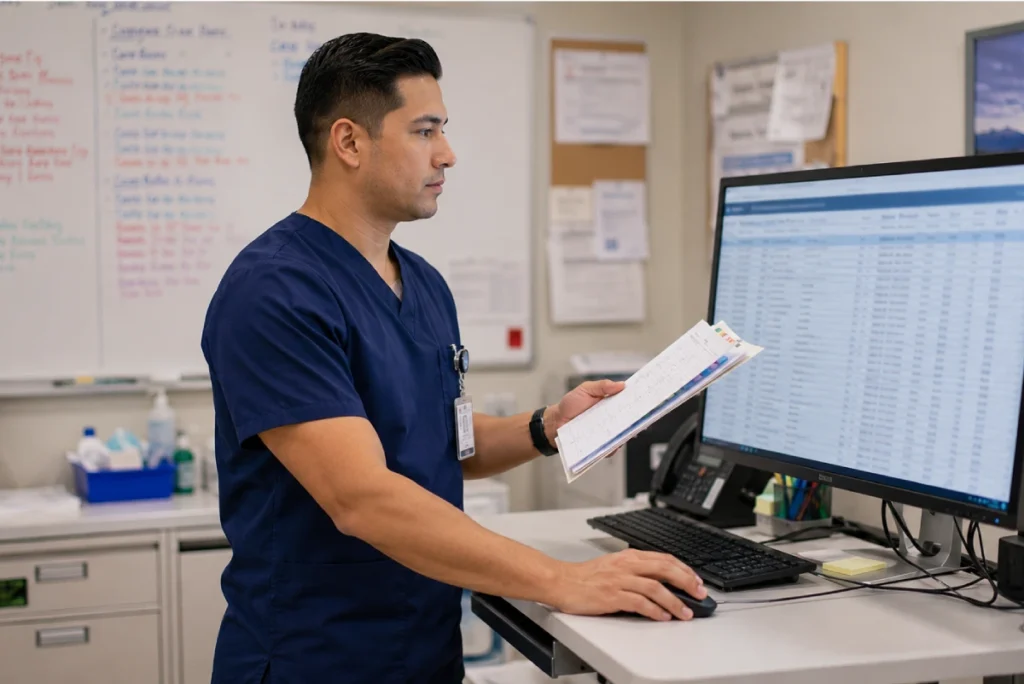
The Resident tab reorganizes the nursing assignment schedule around individual residents instead of dates. This view is designed for nurses doing rounds who need to see all assignments and orders for a specific resident, and for the DON reviewing care coverage for particular residents rather than looking at the schedule day by day.
The resident-centered view includes:
- All nursing assignments and physician orders organized by individual resident
- Complements the date-based summary view with a resident-centered perspective
- Useful for nurses going on rounds who want to review all active assignments for their assigned residents before starting their shift
- Helps the DON identify residents with complex or high-volume order activity that may need additional staffing attention

When a nurse calls off or needs to be reassigned mid-shift, nursing coverage changes need to be reflected in the clinical schedule immediately. LTC Apps Re-Schedule Nurse feature allows the DON or charge nurse to reassign nursing coverage directly within the assignment management module without manual workarounds or updating a separate system.
Nurse reassignment inside LTC Apps includes:
- Re-Schedule Nurse button available directly from the main nursing assignment screen
- Quickly reassign a nurse to different residents when coverage changes unexpectedly
- Keeps the clinical schedule accurate and up to date without manual adjustments to paper assignment sheets
- Coverage changes are reflected immediately so every team member sees the current assignment without verbal handoffs

For facilities setting up the nursing assignment module for the first time or managing high-volume scheduling periods, LTC Apps bulk upload functionality allows large amounts of scheduling data to be imported at once rather than entered record by record. This saves significant manual entry time during initial setup or periods when the clinical schedule changes substantially.
Bulk schedule upload includes:
- Upload Hot Rack dropdown with sub-options for different import types
- Import large scheduling datasets at once to reduce manual entry time significantly
- Useful for initial platform setup when existing assignment data needs to be brought into LTC Apps
- Practical for high-volume scheduling periods when the clinical workload changes rapidly across multiple units

The Right View for Every Person Who Touches the Clinical Schedule
One of the most common problems with nursing assignment management in skilled nursing facilities is that different roles need to see the same information differently. The DON needs a high-level view of the entire week. The charge nurse needs a detailed list of active assignments for the current shift. The nurse on rounds needs to see all assignments organized by the residents she is responsible for.
Most paper-based and spreadsheet-based systems give everyone the same view regardless of what they need. LTC Apps nurse assignment tracking software for nursing homes gives your clinical team three distinct views of the same data. The DON uses the Summary View to oversee the week. The charge nurse uses the List View to manage shift handoffs and individual entry updates. The nurse on rounds uses the Resident View to review assignments organized around the residents she is seeing.
When a nurse calls off mid-shift, the DON uses Re-Schedule Nurse to update coverage directly in the system. Everyone sees the updated assignments immediately without a phone call or a walk to the nurses station whiteboard. That is what SNF nursing schedule management looks like when it is built for the way clinical teams actually work.
Who Uses LTC Apps Nursing Assignment Management
LTC Apps nursing assignment management is used by three main clinical roles inside skilled nursing facilities.
Directors of Nursing who need a complete, date-organized view of the facility’s clinical schedule and physician order activity, the ability to see coverage gaps before they become problems, and a fast way to reassign nursing coverage when a nurse calls off without disrupting the rest of the clinical team

Charge Nurses who manage shift handoffs and need a detailed view of all active nursing assignments and pending orders for the current shift so the incoming team understands exactly who is assigned to which residents and what orders are active

Floor Nurses who do rounds and need a resident-centered view of their assignments organized around the residents they are responsible for rather than a date-based list that requires them to filter through assignments that are not relevant to their shift

Whether your facility has one nursing unit or multiple floors across different wings, LTC Apps gives your clinical team a nursing assignment management system that matches the way your DON, charge nurses, and floor nurses actually use clinical schedule information.
Get Started Today
with LTC Apps Hot Rack request a free demo.
OUR SIMPLE HOT RACK PROCESS
How LTC Apps Nursing Assignment Management Works for Your Facility?
The nursing home clinical workflow software inside LTC Apps follows four clear steps every time your team manages daily nursing assignments.
01. View Summary
Open the nursing assignment module to see the date-organized overview of all nursing assignments and physician orders across the week. Identify the day’s clinical workload and any coverage gaps before the shift starts.
02. Drill Into Details
Switch to List View for individual entry management during shift handoffs, or click Resident View for a resident-centered perspective when reviewing care coverage for specific residents.
03. Manage Assignments
Review, update, or remove individual entries as physician orders change or care plans are updated throughout the shift. All changes are reflected immediately across every view.
04. Handle Coverage Changes
Use Re-Schedule Nurse to update the clinical schedule when a nurse calls off or needs reassignment. Coverage changes appear instantly so every team member sees the current assignment without manual communication.
Works Better Alongside These LTC Apps Modules
Nursing assignment management connects naturally with other parts of the LTC Apps platform. Used together, these modules give your facility a complete clinical and operational workflow in one place.
Staff Scheduling
The two-week staff scheduling module manages shift assignments across all disciplines and pay periods. Nursing assignment management works alongside staff scheduling to handle the daily clinical detail within each shift that the broader staff schedule does not capture
Human Resource Management
Staff records in HR are available across the nursing assignment module so every nurse and care staff member in the system can be assigned to residents and orders without re-entering their information in a separate clinical scheduling tool
Admissions and Patient Intake
New residents admitted through the LTC Apps admissions module are immediately available in the nursing assignment system so nursing coverage can be assigned from the moment a resident arrives without any manual data transfer between systems
Using these modules together means your clinical schedule, staff records, and resident admissions all feed into the same nursing assignment management system. Your DON has a complete picture of daily clinical activity without pulling information from three separate places.
BENEFITS & ANSWERS
Frequently Asked Questions About Nursing Assignment Management
Nursing assignment management software for skilled nursing facilities helps DONs and charge nurses organize daily nursing schedules, track physician orders by resident, manage coverage changes when nurses call off, and get a complete view of clinical workload from one dashboard. LTC Apps includes a nursing assignment management module called Hot Rack that gives your clinical team three views of the schedule: a date-based summary, a detailed list view, and a resident-centered view, all accessible from the same platform your team uses for admissions, scheduling, and HR.
LTC Apps nursing assignment management gives your clinical team three distinct views of the same data. The Summary View organizes the schedule by date and gives the DON a high-level overview of nursing assignments and order activity across the week. The List View is a detailed table of all entries for charge nurses managing shift handoffs and individual entry updates. The Resident View organizes all assignments and orders around individual residents for nurses doing rounds.
When a nurse calls off or needs to be reassigned mid-shift, the DON or charge nurse uses the Re-Schedule Nurse feature available directly from the main nursing assignment screen. They select the nurse who needs reassignment and update the coverage directly in the system. The change is reflected immediately across all views so every team member sees the current assignment without verbal handoffs or manual updates to paper assignment sheets.
The bulk schedule upload allows your team to import large amounts of nursing assignment data at once rather than entering records one by one. It is most useful during initial platform setup when existing assignment data needs to be brought into LTC Apps, and during high-volume scheduling periods when the clinical schedule changes substantially across multiple units. The Upload Hot Rack dropdown provides sub-options for different import types.
Staff scheduling in LTC Apps manages the two-week shift schedule across all disciplines and pay periods. Nursing assignment management works alongside staff scheduling to handle the daily clinical detail within each shift. Staff records added in HR are available in both modules without re-entering information, so the nurse who is scheduled for a shift can be assigned to specific residents and orders in the nursing assignment module without any additional setup.
No. The nursing assignment management module is part of LTC Apps and is accessible from the same login your team uses for admissions, eligibility verification, staff scheduling, and all other modules. The DON, charge nurses, and floor nurses all log into the same platform. Their access level assigned in HR determines which modules they see when they log in.
Why Choose LTC Apps for
Hot Rack?
Three Views for Three Roles
Summary for DON oversight, List for charge nurses, Resident View for nurses on rounds.
Built for the DON
One place to see the day’s clinical schedule, manage assignments, and handle coverage gaps.
Quick Reassignment
Re-Schedule Nurse handles staffing changes directly in Hot Rack — keeping the schedule current.
Bulk Upload
Import large scheduling datasets at once — saving hours of manual entry during high-volume periods.
Get Started Today
with LTC Apps Hot Rack request a free demo.
CONTACT US NOW
See How LTC Apps Handles Nursing Assignment Management
Managing nursing assignments on paper assignment sheets and whiteboards creates the kind of visibility gaps and coverage confusion that skilled nursing facilities cannot afford. LTC Apps gives your DON and clinical team nursing assignment management software that organizes the daily clinical schedule by date, by resident, and by nurse so everyone has the right view of the right information at the right time. Coverage changes, physician order updates, and shift handoffs all happen inside the same platform your team already uses for admissions, scheduling, and HR.

Book a free demo today and see how LTC Apps can improve nursing assignment management for your skilled nursing facility.