Search “nursing home HR management software” and nearly every result sells the same thing: payroll, time clocks, credential alerts, and complex scheduling bundled into one platform. That’s not wrong for every facility. It is not what most skilled nursing facilities (SNFs) need first.
What a SNF usually needs is a centralized place for staff records, documents, and access control that connects to the scheduling and payroll tools already in use. That’s a smaller, cheaper problem than replacing your entire workforce stack and most vendors don’t sell it that way because it’s a smaller sale.
Quick Summary
Nursing home HR software should centralize staff records, credentials, on boarding documents, and platform access control in one place. Most SERP results bundle this with payroll and time-and-attendance, which not every facility needs. Look for a system that tracks discipline, working type, and document status, and controls which staff can access which parts of your operations software. Not every HR tool includes payroll, time clocks, or automated license-expiration alerts confirm what’s actually included before you assume.
Table of Contents
What Makes Healthcare HR Different From Standard HR
Standard HR software manages hiring, payroll, and benefits. Healthcare HR adds a layer standard software was never built for: staff whose job function is tied to a license, and whose records feed directly into survey readiness.
A CNA (Certified Nursing Assistant) working the floor without a current certification isn’t a paperwork gap. It’s a citation risk the moment a surveyor asks to see it. Standard HR platforms track employment status.
SNF HR has to track employment status and clinical eligibility to work. That distinction matters for a second reason: discipline. A generic HR system treats every employee the same.
A SNF has five or more distinct disciplines CNA, Nursing, Housekeeping, Laundry, Front Desk each with different documentation requirements and different downstream needs in scheduling.
What Nursing Home HR Software Actually Needs to Do (and What It Doesn't)
This is where most buying decisions go wrong. The SERP for this keyword treats “HR software” and “payroll and time-attendance platform” as the same product. They aren’t, and conflating them leads facilities to buy far more than they need.
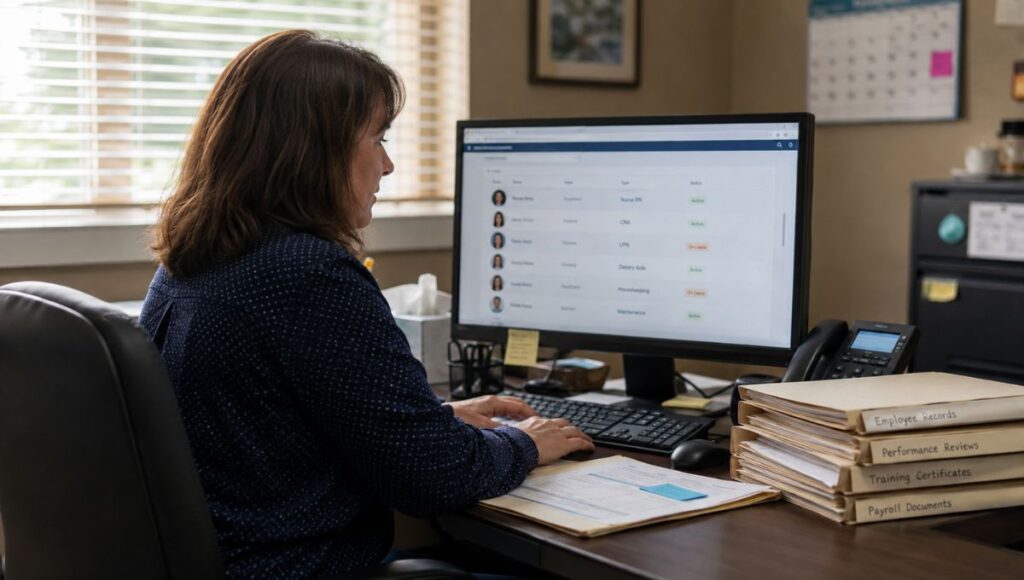
At minimum, nursing home HR software needs a centralized staff directory: name, contact information, discipline, working type, and access level, searchable and filterable in one place. It needs a documents section per employee for on boarding paperwork and certifications. And it needs that staff record to be usable by other systems not re-entered into each one separately.
Most “nursing home HR software” on the market is a payroll and time-clock platform with an HR label attached. The staff-record and access-control layer the part that actually prevents a documentation gap from becoming a survey citation gets treated as a footnote feature instead of the core problem it’s solving.
Here’s what a records-and-access platform is not, and this matters before you evaluate anything: it is not payroll software. It does not run time clocks or track hourly punches.
And it does not automatically alert you when a license is expiring that’s a distinct feature some platforms build well and others advertise loosely without confirming it in writing.
If a vendor’s website lists “credential tracking” as a feature, ask them directly whether that means the system stores the document or the system alerts you before it expires. Those are two different products sold under one bullet point, and the gap between them is exactly where facilities get burned during a survey.
Staff Credentialing and Document Tracking in Practice
Credentialing is the process of verifying and maintaining proof that a staff member holds the license or certification their role requires RN (Registered Nurse) and LPN (Licensed Practical Nurse) licenses, CNA certifications, TB test results, and role-specific competency records.
Document storage and expiration alerting are two separate capabilities, and the distinction is worth repeating because it’s where most confusion happens. Storage means the document lives in the system, attached to the employee, retrievable on demand during a survey. Alerting means the system proactively tells you before that document lapses.
A platform that does the first well is genuinely useful: instead of a paper file or a shared drive, every employee’s documents sit in one searchable place, organized by status. That alone solves the most common survey production problem not being able to find the document fast enough, not the document being missing.
Onboarding Without Re-Entering Data Three Times
New hire on boarding in a SNF typically touches three systems: the HR platform where the employee record is created, the scheduler where they’re assigned shifts, and payroll where they get paid. Each one usually requires separate data entry.
Re-entering the same new hire into a scheduling tool, a payroll system, and an HR platform separately isn’t three on boarding steps. It’s three places a discipline or access-level error can silently break a shift assignment weeks later, and nobody notices until the wrong person is scheduled for a role they can’t legally fill.
The fix isn’t necessarily one giant platform that does everything. It’s making sure the systems that need to share staff data actually do so a discipline set once in HR determines shift eligibility in scheduling automatically, instead of depending on someone remembering to update both places.
Why Most Nursing Home HR Software Is Sold Wrong Fit-First
What Most HR Software Comparisons Get Wrong: every comparison article on this topic assumes you’re replacing your entire workforce stack — payroll, scheduling, time clocks, and HR — all at once, with one vendor. That’s rarely the actual starting point for a small-to-mid SNF.
Facilities that “need HR software” usually already have a payroll vendor and a scheduling tool that work fine. What’s actually broken is that staff records live in a spreadsheet nobody fully trusts. That’s a much smaller, cheaper problem to solve than a full-suite replacement, and it doesn’t require ripping out systems that already work.
The comparison-shopping approach pushes facilities toward the biggest, most expensive option because that’s what ranks and what gets marketed hardest. A facility with working payroll and scheduling doesn’t need to solve a payroll problem it doesn’t have.
How LTC Apps HR Connects to Everything Else
LTC Apps’ HR management software is a centralized staff directory and document management system not a full HR platform. It’s built for the records-and-access layer, not to replace payroll or time-and-attendance systems you already run.
Every staff member gets a record with discipline, working type, access level, and a documents section for on boarding files and certifications. Access level controls which platform modules that employee can view and use a genuine gap in most HR tools, which stop at “who’s employed” and never address “who can see what.”
Staff added in HR are immediately available in Scheduler and other connected modules, and the discipline set in HR determines which shift types that employee can be assigned. That’s the connection most standalone HR tools don’t make.
The record you create once feeds the tool your DON (Director of Nursing) uses every two weeks to build the schedule, covered in full in our SNF staff scheduling guide.
Frequently Asked Questions
At minimum, it should track staff name, contact information, discipline, working type, access level, and per-employee documents like certifications and on boarding paperwork. Not every platform includes payroll or time-and-attendance.
Not always. Many platforms marketed as "HR software" bundle payroll and time-and-attendance by default. Others, including LTC Apps' HR module, focus specifically on staff records, documents, and access control, and connect to the scheduling and payroll systems you already use.
HR software manages who your staff are their records, credentials, and system access. Scheduling software manages when they work. They should share data, with discipline and access level set in HR determining shift eligibility in Scheduler, but they solve different problems.
Some platforms offer automated expiration alerting; others, including LTC Apps' current HR module, store the documents but do not send automated expiration alerts. Confirm this distinction directly with any vendor before assuming it's included.
Access should be role-based, not facility-wide. Administrators and HR coordinators typically need full record access, while DONs and department heads need discipline-specific visibility relevant to their team, controlled through an access-level setting rather than open access for everyone.
Ready to Streamline Your SNF Operations?
LTC Apps is built for you if: You operate a skilled nursing facility or small regional SNF group and want a centralized place for staff records, credentials, and platform access control without replacing a payroll or scheduling system that already works.
This is not the right fit if: You need a system that runs payroll, tracks time clocks, or automatically alerts you before a credential expires those are separate capabilities LTC Apps HR does not currently provide.
Here is what happens when you request a demo: A member of our team reaches out within 1 business day to schedule a call. We run a 30-minute live walkthrough of the modules most relevant to your facility. You get access to pricing specific to your facility size and module selection. Most facilities have a clear picture of fit and pricing within one week of reaching out.
Common questions before booking a demo:
No long implementation timelines most facilities are live on their first module within 2-4 weeks. No minimum facility size we work with single-facility operators and regional groups. If you are mid-contract with another vendor, we can run a parallel evaluation so you are ready to switch at contract end.
If you operate a skilled nursing facility and want centralized staff records that actually connect to your scheduling system LTC Apps was built for exactly this.
Or call 309-590-3455, or visit ltcapps.com to explore all 15 modules. Most facilities complete their first demo within one week of reaching out.