
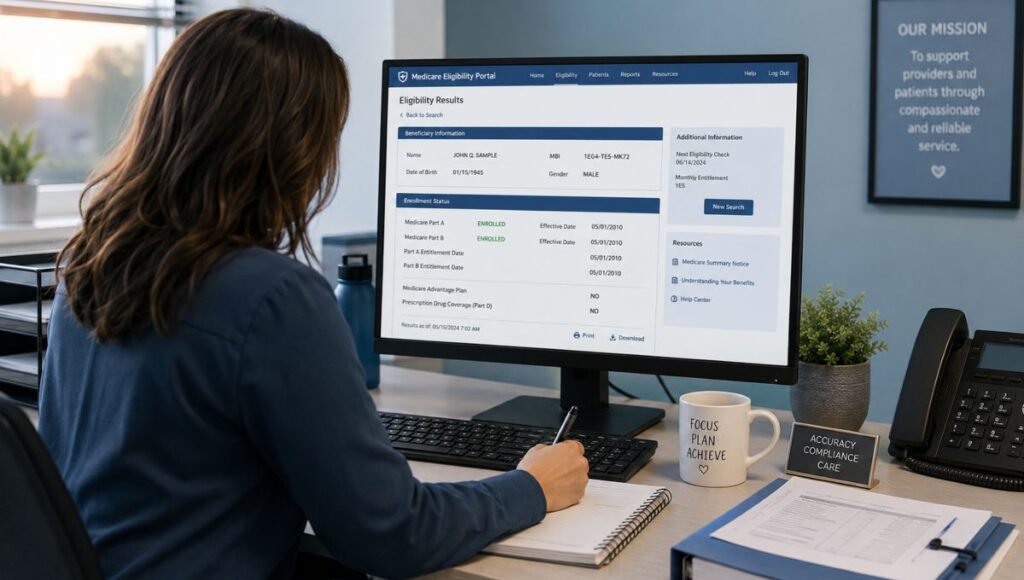
As an SNF billing coordinator, checking Medicare eligibility as a provider means running a structured lookup before a resident is admitted — not after the first claim comes back denied. The process involves three methods, five critical data fields in the result, and one documentation standard most facilities skip entirely. This guide covers all three, with the SNF-specific interpretation layer that every page-one result on this SERP leaves out.
Three referrals on the desk before 9 a.m. is Tuesday at most skilled nursing facilities. Each one requires a Medicare eligibility check before the admissions coordinator can confirm a bed. The check itself takes under two minutes. What takes longer — and what costs real money when it goes wrong — is knowing what the result actually means for the admission decision.
Quick Summary
SNF billing staff can check Medicare eligibility through three methods: the MAC online provider portal (best for daily use), HETS 270/271 transactions via billing software or clearinghouse, or the MAC’s IVR phone line as a backup. You need the resident’s Medicare Beneficiary Identifier (MBI), last name, and at least one of first name or date of birth.
Running the check is step one. The section most billing guides skip is step two: what the result actually means for your SNF admissions decision. Active Part A enrollment, benefit days remaining, HMO enrollment flag, and MSP status each require a different action — and confusing them produces denials that start before the first claim is submitted.
Table of Contents
What You Need Before Running the Check
Every Medicare eligibility check as a provider requires three pieces of information. Without all three, the lookup will fail or return inaccurate results:
- Medicare Beneficiary Identifier (MBI) — the 11-character alphanumeric ID on the resident’s Medicare card. Social Security Numbers are no longer accepted for eligibility lookups. The MBI replaced the SSN-based Health Insurance Claim Number (HICN) in 2019.
- Resident’s last name — must match the Medicare card exactly, including hyphenated names and suffixes.
- At least one of: first name or date of birth — most MAC portals and HETS require the last name plus one additional identifier to prevent incorrect beneficiary matches.
What to Do If You Don't Have the MBI at Referral
Most MAC portals include an MBI Lookup function — available once you are logged in with your NPI and PTAN — that allows you to search by Social Security Number, date of birth, and last name to retrieve the MBI. Noridian’s portal confirms this lookup is available under the Eligibility tab. (Source: Noridian Medicare Portal Guide)
Make the Medicare card a standard referral intake item. Request it from the hospital discharge team at the time the referral is received — before clinical acceptance is confirmed. Billing teams that wait until day of admission to collect the Medicare card start the verification clock late, and late verification is the structural cause of most eligibility-driven admissions denials.
The Three Methods SNF Billing Staff Use to Check Medicare Eligibility
Three methods exist for checking Medicare eligibility as a provider. Each has different access requirements, data depth, and appropriate use cases. For SNF billing, the method you choose determines how much information you get — and whether that information is enough to make a confident admissions decision.
Method 1 MAC Online Provider Portal (Best for Daily SNF Use)
The MAC online provider portal is the primary tool for most SNF billing staff. Every SNF is assigned a regional Medicare Administrative Contractor (MAC) based on facility location. Your MAC’s portal provides real-time eligibility lookups with full SNF-relevant data, accessible without EDI setup or technical integration.
To find your MAC: CMS maintains a current Medicare Administrative Contractors directory. For Illinois SNFs, the MAC is Palmetto GBA (Jurisdiction M/J). For Indiana, Iowa, Kansas, Missouri, and Nebraska, the MAC is WPS Government Health Administrators (Jurisdiction 5).
How to run the check through the MAC portal:
- Log into your MAC portal using your NPI (National Provider Identifier) and PTAN (Provider Transaction Access Number). Both are required for provider authentication.
- Navigate to the Eligibility or Benefits Inquiry tab. The exact label varies by MAC portal.
- Enter the resident’s MBI and last name. Add first name or date of birth as the second identifier.
- The result returns in seconds.
What the MAC portal returns for SNF admissions: Part A and Part B entitlement status, HMO/MCO enrollment flag and plan name, Medicare Secondary Payer (MSP) status, inpatient and SNF episode history (including prior qualifying hospital stays), and benefit period data including days used and days remaining. (Source: Noridian Medicare Portal Guide, Eligibility Benefits section)
Method 2 HETS 270/271 via Billing Software or Clearinghouse
HETS — the HIPAA Eligibility Transaction System — is CMS’s authoritative source for Medicare eligibility data. MAC portals pull from HETS in the background. Direct HETS access runs through 270/271 EDI transactions: a 270 inquiry submits, a 271 response returns with full eligibility data. (Source: CMS HETS Eligibility Inquiry page)
Most SNFs do not access HETS directly. They access it through billing software or a clearinghouse that submits 270/271 transactions on the facility’s behalf. If your billing software or EHR includes a real-time eligibility function, it is almost certainly pulling from HETS through a clearinghouse connection.
Important 2026 requirement: As of May 11, 2026, CMS requires every provider to maintain an active HETS EDI enrollment for each NPI submitting eligibility requests. Any NPI without an active enrollment will receive a rejected eligibility response — error code AAA*41 — on every Medicare eligibility request. (Source: CMS HETS EDI Enrollment guidance)
This is not a grace-period situation. If your facility uses billing software or a clearinghouse to run eligibility checks, verify with your vendor that your NPI is linked to an active HETS EDI enrollment now. The attestation is completed through your MAC portal and takes less than 15 minutes — but a missed enrollment blocks every eligibility transaction until it is corrected.
When HETS integration is functioning, it surfaces benefit period data — including exact days remaining and spell of illness dates — more prominently than some MAC portal interfaces. For SNF billing, this makes HETS-integrated software valuable for high-volume admissions periods where checking each resident through a portal individually would be time-intensive.
Method 3 IVR (Interactive Voice Response) Phone Line
Every MAC operates an IVR phone line that providers can use for eligibility checks without portal access. Authenticate by entering your NPI, PTAN, and Tax Identification Number, then key in or speak the resident’s MBI, last name, and date of birth.
IVR returns basic enrollment status, Part A and Part B entitlement dates, and deductible information. It does not return the SNF episode detail, benefit days remaining count, or HMO plan name that the MAC portal provides.
Hard Truth: IVR is what facilities fall back on when they have no portal login set up. If your billing team is running daily eligibility checks by phone, that is not a verification workflow — it is a gap in your portal access that needs to be corrected. MAC portal setup requires your NPI, PTAN, and Tax ID, and takes less time to configure than a single phone verification call.
What the Result Actually Means for Your SNF Admissions Decision
Running the check is step one. Most provider guides stop there. The more valuable skill is reading the result correctly — because the same eligibility screen means four completely different things for the admission decision depending on which flags are set. Get this part wrong and the denial does not show up for weeks, by which point the admission has already happened and the correction options are limited.
Data Point 1 Part A Entitlement Status
Active Part A entitlement confirms the resident is enrolled in Medicare. It does not confirm they have available SNF benefit days. These are two pieces of information in the same result — and both must be pulled explicitly.
If your eligibility check confirms Part A enrollment and stops there, you have confirmed the resident has insurance — not that you will be paid. Those are different questions. Benefit days remaining is the answer to the second one.
A resident can show Active Part A entitlement and have zero days remaining in their current benefit period. That admission cannot be billed under Part A regardless of enrollment status.
Data Point 2 Benefit Period and Days Remaining
The Medicare Part A benefit period begins the day the resident is admitted to a hospital or SNF and ends after 60 consecutive days out of all inpatient settings. A new benefit period — and a fresh 100-day SNF coverage window — resets after that gap.
Pull the exact days remaining number and use it. The 2026 Medicare coinsurance is $0 for days 1 through 20 and $217.50 per day for days 21 through 100 (Source: CMS Federal Register, November 2025). An admission with 14 days remaining means the family will be looking at coinsurance charges — or a private-pay conversion — inside the first three weeks.
The billing coordinator who walks into that admission conversation without knowing the days remaining is the one who gets caught unprepared when the family asks what day 15 is going to cost. Cross-reference with Medicare Part A SNF eligibility requirements for the full four-requirement framework including the 3-day qualifying stay check.
Data Point 3 HMO/MCO Enrollment Flag
When the eligibility result shows an HMO or MCO flag, the resident is enrolled in a Medicare Advantage plan. This result does not clear the SNF to bill Medicare Fee-for-Service. It triggers a separate prior authorization step with the MA plan’s utilization management (UM) department — and that step must happen before the first day of care, not after the family is told the bed is confirmed.
Active Medicare enrollment and active Medicare Advantage SNF coverage authorization are two verifications from two different sources. The MAC portal result handles enrollment confirmation.
The MA plan’s UM department handles authorization — confirming the facility is in-network, the level of care is approved, and the number of covered days. Treating the portal result as clearance when an HMO flag is present produces a CO-15 denial on the first claim. For the complete two-step MA verification framework, see HMO eligibility verification for skilled nursing.
Data Point 4 Medicare Secondary Payer (MSP) Flag
When the eligibility result shows MSP = Yes, Medicare is not the primary payer for this resident. A commercial insurance, employer group health plan, or workers’ compensation plan has primary payment responsibility. Bill the primary payer first.
MSP situations are more common than most SNF billing teams expect. Residents under 65 who qualify for Medicare due to disability frequently retain employer group health coverage — and that plan is primary. Submitting a Medicare claim before the primary payer adjudicates the claim results in a denial that requires a corrected claim and typically delays payment by 30 to 60 days.
Data Point 5 SNF/Inpatient Episode History
The MAC portal returns SNF and inpatient episode history — prior hospital stays and SNF stays on record in the Common Working File. For SNF billing, this is where you confirm the 3-day qualifying inpatient stay that Medicare Part A requires before SNF coverage begins.
If the episode data shows a qualifying hospital admission with the correct inpatient status (not observation-only), document the admission and discharge dates. If the episode data does not show a qualifying stay, or if the prior stay is recorded as observation status, verify directly with the hospital discharge team before clinical acceptance is confirmed. See pre-admission eligibility verification for the full payer-by-payer pre-admission documentation protocol.
The Seven Fields to Document From Every Verification
Running the eligibility check is not sufficient for claim defense. The check must be documented — with specific fields captured and retained in the resident’s file before the admission is confirmed. Seven fields are required:
|
Field
|
What to Record
|
Why It Matters
|
|---|---|---|
|
1. Date and time
|
Exact date and time verification was run
|
Proves pre-admission timing -- critical for audit defense
|
Hard Truth
A verbal confirmation passed from the billing coordinator to the admissions coordinator is not documentation. If a surveyor or auditor asks for proof that eligibility was verified before admission and your answer is that the check was run but nothing was written down, the check did not happen for compliance purposes. An undocumented verification is functionally identical to a verification that was never run.
How LTC Apps Handles Medicare Eligibility Verification
LTC Apps eligibility verification software runs Medicare and Medicaid checks within the same platform your admissions and billing teams already use — no separate portal login, no second set of credentials. Every verification is stored with the resident’s MBI, status, and reference number, creating the documentation record automatically at the time the check is run.
For the complete SNF eligibility verification framework across all payer types and all three verification stages, see the SNF eligibility verification complete guide.
Frequently Asked Questions
Log into your regional MAC portal using your NPI and PTAN, navigate to the Eligibility or Benefits Inquiry tab, and enter the resident's MBI and last name. The result returns in seconds and shows Part A and Part B entitlement status, benefit days remaining, HMO/MCO enrollment, and MSP status. If you do not have portal access configured, contact your MAC's provider enrollment department -- setup requires your NPI, PTAN, and Tax Identification Number.
You need the Medicare Beneficiary Identifier (MBI), the resident's last name, and at least one of first name or date of birth. If you do not have the MBI at referral, most MAC portals include an MBI Lookup function that retrieves the MBI using the resident's Social Security Number, date of birth, and last name.
The MAC portal eligibility result and HETS 271 response both return benefit period data, including the exact number of days remaining in the current 90-day benefit period. This data point must be pulled explicitly -- active Part A enrollment does not confirm available benefit days. A resident can be fully enrolled in Medicare and have zero Part A days remaining in their current period.
Yes -- always. An HMO or MCO flag in the MAC portal eligibility result means the resident is enrolled in a Medicare Advantage plan. The portal confirms enrollment. A separate authorization from the MA plan's utilization management department confirms whether the facility is in-network, what level of care is approved, and how many days are authorized. These are two verifications from two sources. Treating the portal result as clearance for a Medicare Advantage admission produces a CO-15 denial on the first claim.
Eligibility verification and claim status inquiry are two separate functions in the MAC portal. Eligibility verification is a pre-admission step -- confirming whether the resident has active coverage before the bed is offered. Claim status inquiry is a post-submission step -- checking whether a submitted claim was paid, rejected, or pending adjudication. Both are available under separate tabs in every MAC portal.
Use your MAC's IVR phone line. Authenticate with your NPI, PTAN, and Tax Identification Number, then key in or speak the resident's MBI, last name, and date of birth. IVR returns basic enrollment status and entitlement dates but does not return benefit days remaining, HMO plan name, or SNF episode detail. Reserve IVR for backup use when portal access is temporarily unavailable.
Ready to Stop Running Eligibility Checks Across Multiple Portals?
If your billing team is running Medicare and Medicaid eligibility checks manually switching between MAC portals, logging results on paper, and still getting denials that trace back to a missed HMO flag or an exhausted benefit period LTC Apps was built to fix exactly this.
LTC Apps Eligibility Verification runs Medicare and Medicaid checks within the same platform your admissions and billing teams already use. Every result is stored with the resident’s MBI, status, and reference number no separate portal, no second login, no paper log.
LTC Apps is built for you if:
- You operate a skilled nursing facility and your billing team runs eligibility manually through MAC portals
- You are getting denials tied to missed HMO enrollment flags, exhausted benefit periods, or MSP billing sequence errors
- You want eligibility results documented and stored automatically — not written on a sticky note
This is not the right fit if:
- You need a full physician-facing clinical EHR with hospital integration
- You require a commercial payer verification tool that covers non-Medicare, non-Medicaid plans
Here is what happens when you request a demo:
- A member of the LTC Apps team reaches out within one business day to schedule a call
- We run a 30-minute live walkthrough of the modules most relevant to your facility
- You get pricing specific to your facility size and module selection
Most facilities are live on their first module within 2-4 weeks. No long implementation timeline, no minimum facility size, and if you are mid-contract with another vendor, a parallel evaluation now means you are ready to switch at contract end.