
Most SNF administrators searching this topic are not looking for a product list. They are trying to answer one question: is what we are doing now costing us more than we realize, and if so, what is the right fix?
The answer depends on which approach you are using — not which brand. Paper schedules, Excel spreadsheets, generic scheduling apps, and purpose-built SNF scheduling software are four fundamentally different tools that produce four different outcomes when compliance, overtime, and survey readiness are on the line. This post compares all four across the eight criteria that actually matter inside a skilled nursing facility.
Quick Summary
SNF scheduling falls into four approaches: paper, Excel, generic apps, and SNF-specific software. Paper records the past but cannot surface a problem before it happens. Excel has real capability but depends entirely on the person who built the file. Generic apps built for restaurants or staffing agencies solve shift communication — not SNF compliance infrastructure. Purpose-built SNF scheduling software handles the 14-day pay period, discipline-level organization, and PBJ documentation that the other three approaches cannot produce reliably.
The highest-stakes criterion is PBJ accuracy. A missed submission or data error automatically triggers a 1-star staffing rating. Under CMS Five Star methodology, that subtracts one star from a facility’s overall score — regardless of how well the facility is actually staffed. (Source: CMS Five Star Quality Rating System Fact Sheet)
Table of Contents
Why Generic Scheduling Comparisons Do Not Help SNF Operators
Search Google for SNF staff scheduling software comparison and you will find ranked lists comparing OnShift, SmartLinx, When I Work, and Connecteam side by side. The criteria used: mobile access, open shift notifications, employee self-scheduling, payroll integration.
Those are staffing agency metrics. Three of those tools were built for food service, retail, or general healthcare shift management. An SNF operator applying those criteria to a scheduling decision is evaluating the wrong things.
The right question is not which app has better mobile notifications. It is which approach produces a compliant scheduling infrastructure one that handles 14-day pay periods across five disciplines, documents floor-level coverage by shift, and generates the structured records that PBJ submission and survey readiness require. Every comparison on the first page of Google gets that question wrong.
Hard Truth: The scheduling tool that works for a restaurant chain or a home health agency will not produce a PBJ-compliant audit trail for a skilled nursing survey. That is not a feature gap it is a category mismatch.
The 8 Criteria That Actually Matter for SNF Scheduling
Before comparing approaches, the evaluation framework needs to be right. These are the criteria that determine whether a scheduling approach serves a skilled nursing facility — or just a business that employs shift workers.
- SNF-specific pay period structure. SNFs run on 14-day pay cycles, not weekly. A tool that defaults to weekly grids creates a structural mismatch with payroll, overtime tracking, and PBJ submission from day one. The pay period needs a status lifecycle — Pending, Active, Closed — so the compliance record is dated and archived, not just saved as a file.
- Discipline-level organization. CNA, Nursing, Housekeeping, Laundry, and Front Desk are not interchangeable. Each has different shift configurations, different state-mandated ratio requirements, and different PBJ reporting codes. A tool that treats all employees as a single undifferentiated list produces a record that is useless for compliance purposes.
- Below-40-hours visibility. Overtime is not a payroll report problem — it is a scheduling decision problem. The moment that matters is when a shift is being assigned, not three weeks later when payroll surfaces a bill. A filter that flags approaching overtime at the point of assignment moves the decision to when it can still be changed.
- Floor-level coverage tracking. When an IDPH surveyor asks for staffing documentation, they ask by floor and shift — not facility-wide headcount. A scheduling record that cannot produce floor-and-shift-level data quickly is a liability during every survey cycle.
- Published schedule as compliance gate. A schedule that exists is not the same as a schedule that is published. The publish step creates a dated, archived record that distinguishes a working draft from an official compliance document. Without it, there is no formal record of when the schedule was finalized or communicated to staff.
- PBJ documentation foundation. PBJ submission requires discipline-level, pay period-level staffing data submitted to CMS within 45 days of each quarter end. (Source: CMS.gov) The scheduling tool must be structured well enough that quarterly submission data can be extracted accurately — not reconstructed manually from separate files or memory.
- Export formats for distribution and survey. A tool that exports to PDF only leaves gaps. SNF operations require PDF for floor posting, Excel for payroll processing, and Fillable PDF for survey requests where staff need to annotate fields.
- Master schedule template. A 14-day repeating template that copies forward to each pay period eliminates the rebuild-from-scratch cycle. Without one, a DON rebuilds the same schedule from memory every two weeks — a task that compounds to 78-130 hours of recoverable time annually.
These eight criteria are the lens for the comparison below.
The Comparison: Four Approaches SNFs Actually Use
|
Criterion
|
Paper Schedule
|
Excel Spreadsheet
|
Generic App (When I Work / Deputy)
|
SNF-Specific Software (LTC Apps)
|
|---|---|---|---|---|
|
14-day pay period structure
|
None
|
Manual setup required
|
Not available weekly default
|
Built in
|
A note on the “Possible with setup” entries for Excel: those capabilities are real. Excel can be configured to handle most of what this table describes. The next section explains exactly what that configuration costs in practice — and why it produces a different kind of risk than the one most administrators expect.
Option 1 Paper Schedules: What It Costs Beyond the Obvious
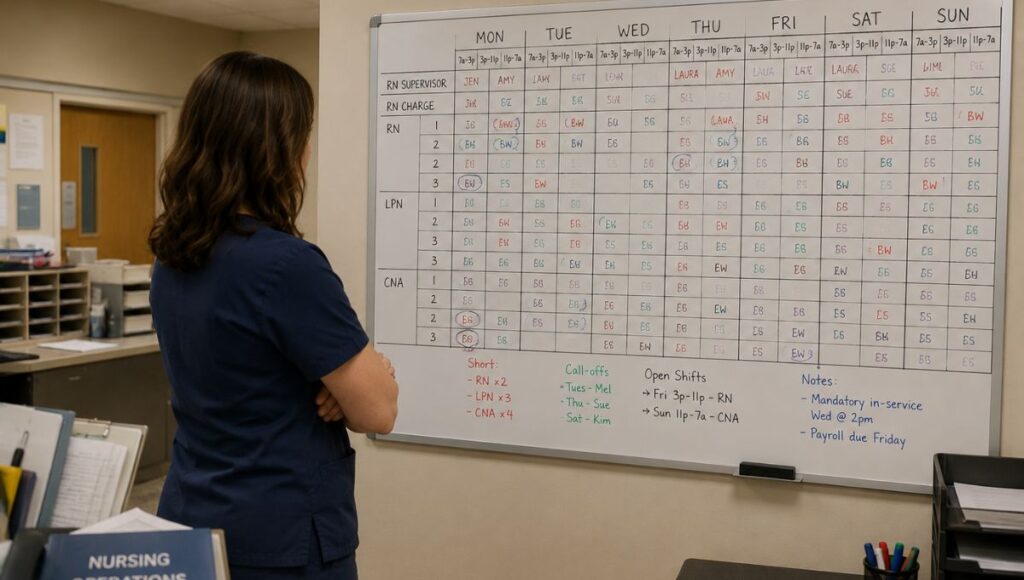
Paper is not a naive choice. Many well-run facilities with experienced DONs manage scheduling on paper because it is fast to update, requires no training, and has no software dependencies. The real problem is not that paper is wrong — it is that paper is late.
Paper records what happened. It cannot surface what is about to happen. The overtime threshold four hours away, the CNA approaching 38 hours, the floor dropping below ratio on evenings — none of those are visible on a paper schedule until after the decision point has passed.
Original Insight Latency, Not Inaccuracy: The paper schedule’s defining failure is not that it produces wrong information. It is that it produces old information. The most expensive scheduling decisions in an SNF happen in real time: the call-out 90 minutes before shift start, the coverage gap that will not show on the board until morning, the overtime that lands on a payroll report three weeks after it was preventable. Paper cannot surface any of those before they become problems. That is why paper-based facilities consistently spend more time in recovery mode than prevention mode.
The PBJ consequence is the hardest cost to absorb. CMS requires PBJ submissions within 45 calendar days after the end of each fiscal quarter, and no submissions are accepted after the deadline passes. (Source: CMS.gov) A paper-based facility reconstructs that quarterly submission by hand — pulling daily shift records, sorting by discipline, and manually transcribing into the CMS system. Every step introduces potential error into a submission that directly feeds the Five Star staffing domain.
A 1-star staffing rating automatically pulls a facility’s overall Five Star rating down one star — and CMS has demonstrated exactly how it applies this penalty. In one quarterly refresh, 801 nursing homes saw their staffing rating drop to a single star for failing to meet data-reporting requirements. (Source: McKnight’s Long-Term Care News)
Survey production is the second hard cost. When an IDPH surveyor asks for staffing records from the prior 90 days, a paper-based facility spends hours finding, collating, and explaining records that a digital facility produces in minutes. That production gap is itself a citation risk — not for the staffing levels, but for the inability to demonstrate them cleanly.
Option 2 Excel Spreadsheets: The Capability Gap No One Names
Excel deserves honest credit. A properly configured spreadsheet can include a 14-day pay period grid, discipline rows, conditional formatting for overtime thresholds, floor columns, and archived pay period tabs. Many facilities have built sophisticated scheduling systems in Excel, and those systems work.
The problem is not what Excel can do. It is what Excel requires.
A well-built Excel schedule works because one person built it correctly and maintains it. That person understands the conditional formatting logic, knows which formulas to update when staff changes, and archives each pay period file consistently. When that person leaves, changes roles, or is out for a week, the system degrades — not because Excel failed, but because the institutional knowledge was personal, not structural.
Original Insight Artifact, Not Infrastructure: The Excel schedule is not a scheduling system. It is a temporary artifact that expires every two weeks. It has no publish step, no status lifecycle, and no formal dated record that distinguishes a working draft from the official compliance document. A surveyor asking when the schedule was finalized and distributed cannot get a documented answer from an Excel file. That distinction between a file that was saved and a schedule that was published is the structural gap Excel cannot close regardless of how well it is configured.
The PBJ gap is equally direct. Excel files are not structured for CMS export. Every quarter, the administrator manually extracts staffing data from multiple archived files and transcribes it into the PBJ system. That process introduces exactly the transcription error that produces inaccurate Five Star staffing ratings. Failing to submit PBJ by the deadline automatically results in a 1-star staffing rating under the CMS Five Star Quality Rating System — regardless of actual staffing levels. (Source: CMS.gov)
Excel is a legitimate tool for a facility with a consistent, experienced administrator who treats the file as a serious institutional system. It becomes a liability the day that person leaves.
Option 3 Generic Scheduling Apps: Why SNF Does Not Equal Restaurant
Generic scheduling apps solve a real problem. They give staff a better experience for viewing their schedule, claiming open shifts, and communicating about coverage. Those are genuine improvements over paper or a shared Excel file emailed to staff.
The problem is that they solve the employee-facing problem, not the operator-facing compliance problem.
An SNF scheduling tool must do something categorically different from what a generic app was designed to do. A generic app manages a pool of available workers and helps fill shifts. An SNF scheduling tool must build a fixed coverage plan that meets state-mandated CNA-to-resident ratios by shift and floor, document that plan in a structured record, and produce a PBJ-ready export every quarter. Those are not feature differences they are category differences.
Hard Truth: A generic scheduling app gives your staff a better phone experience. It does not give your DON a compliant scheduling infrastructure. Buying a generic app and expecting it to close a compliance gap is the most common and most expensive scheduling mistake SNF administrators make.
The specific gaps that matter: generic apps do not recognize a 14-day pay period they default to weekly grids. They do not separate CNA, Nursing, Housekeeping, Laundry, and Front Desk as distinct disciplines with distinct compliance configurations. They do not produce a Fillable PDF for survey requests. They do not maintain a pay period status lifecycle. And they do not generate the discipline-level, pay period-level structured export that PBJ requires.
Pricing appears favorable on the surface generic apps often start at a few dollars per user per month. That figure looks different when the facility adds the manual PBJ reconstruction process every quarter, the survey documentation gap, and the overtime that was not caught because no below-40-hours filter existed at the moment a shift was assigned.
Option 4 SNF-Specific Scheduling Software: What "Built for SNFs" Actually Means
“Built for SNFs” is a phrase every scheduling vendor uses. The test is whether the tool reflects how SNF scheduling actually works: five disciplines, 14-day cycles, floor-level coverage requirements, and PBJ submission as the downstream compliance obligation that makes the scheduling record consequential.
The LTC Apps Scheduler is a manual scheduling tool not AI auto-scheduling — built specifically around those requirements. The two-week grid is organized by pay period with a Pending/Active/Closed status lifecycle, so the publish step is a formal compliance gate, not just saving a file. Discipline and floor filters are built into the main grid, not configured manually. The below-40-hours filter is a native feature that surfaces approaching overtime at the moment a shift is assigned before the payroll report sees it.
The master schedule template is the structural fix for the rebuild-from-scratch cycle. A 14-day template holds stable data: staff names, disciplines, floors, typical shift patterns. Each pay period, the DON copies the template forward and adjusts for vacations, call-outs, and coverage changes. The rebuild that previously consumed 3-5 hours becomes approximately 20 minutes.
The HR-to-Scheduler integration closes a gap that disconnected tools cannot. Staff added in LTC Apps HR are immediately available in the Scheduler with discipline already assigned. No re-entering employee details, no risk that a staff member is active in HR but invisible to the scheduling grid. For more detail on how the scheduling foundation connects to PBJ documentation, the DON’s guide to SNF scheduling and the nursing home staff scheduling template post both cover the operational workflow at depth.
PBJ Compliance Citation Anchor: For PBJ compliance, the scheduling record must support discipline-level, pay period-level staffing data submitted to CMS quarterly. CMS requires submissions within 45 days of each quarter end, and the system does not accept late submissions. (Source: CMS.gov) A compliant scheduling tool produces a structured record that maps to CMS’s required data fields discipline, hours, pay period dates without manual reconstruction. Under CMS Five Star methodology, a 1-star staffing rating automatically subtracts one star from a facility’s overall rating. (Source: CMS Five Star Fact Sheet) A scheduling infrastructure that cannot produce accurate PBJ data is not a convenience gap it is a Five Star exposure event that repeats every quarter.
Three export formats PDF, Excel, and Fillable PDF cover the full range of distribution and documentation needs that a single-format tool cannot. PDF for floor posting, Excel for payroll or administrative review, Fillable PDF for surveyor requests. For a comprehensive view of how scheduling connects to PBJ compliance obligations, see the SNF staff scheduling complete guide and the upcoming PBJ staffing compliance guide.
Which Approach Is Right for Your Facility?
Paper may be adequate for a small facility with a tenured DON who has run the same census for years and has no active survey pressure. The risk accumulates over PBJ submission cycles and surfaces when a surveyor asks for records that take an hour to produce.
Excel is defensible for a facility with a consistent, experienced administrator who maintains the file as a serious institutional system and accepts the manual PBJ reconstruction process as a known quarterly cost. The risk is person-dependency: the system is as strong as the person who built it.
Generic apps are appropriate when the primary problem is staff-facing — getting the schedule distributed faster and reducing phone trees. They do not address compliance infrastructure and should not be evaluated as though they do.
SNF-specific scheduling software is the correct operational decision for any mid-size facility running five disciplines under active PBJ scrutiny or survey pressure — and for any facility that has already received a PBJ correction request, a scheduling-related survey citation, or an overtime bill that appeared on a payroll report weeks after it was preventable.
The question is not whether to switch. It is whether the current approach is already costing more than a switch would.
Frequently Asked Questions
Excel can handle 14-day pay periods, discipline rows, floor columns, and conditional overtime formatting so the raw capability exists. The gap is institutional, not technical. An Excel schedule works as long as the person who built it maintains it correctly. It has no publish step, no compliance gate, and no structured PBJ export. For any facility under active survey or PBJ scrutiny, the manual quarterly reconstruction process and the absence of a dated compliance record are the specific failure points that make Excel an inadequate long-term solution.
SNFs use a range of approaches depending on size and operational complexity. Larger regional groups tend to use enterprise workforce platforms like SmartLinx or OnShift, which are built for multi-facility senior care but carry corresponding implementation complexity and cost. Smaller and mid-size SNFs typically 50 to 150 beds increasingly use purpose-built operations platforms like LTC Apps, which provide SNF-specific scheduling infrastructure without enterprise pricing or multi-month implementation timelines.
When I Work handles open shift management and employee-facing schedule communication well. It does not support 14-day SNF pay period cycles natively, does not separate CNA and nursing disciplines with distinct compliance configurations, does not produce a PBJ-ready structured export, and does not maintain the pay period status lifecycle that SNF compliance documentation requires. It solves the employee scheduling communication problem. It does not solve the SNF compliance infrastructure problem.
Three requirements that are non-negotiable. First, the record must be organized by discipline and pay period not by shift or week so the data maps to PBJ's required reporting structure. Second, the pay period must have a formal status lifecycle that creates a dated, archived record CMS can trace. Third, the tool must produce an exportable record that does not require manual reconstruction each quarter. Any approach that requires manually extracting and transcribing data from files introduces the error that produces inaccurate Five Star staffing ratings and missed submissions trigger an automatic 1-star staffing penalty regardless of actual staffing levels. (Source: CMS.gov PBJ Policy Manual)
Ready to See What SNF-Specific Scheduling Looks Like?
LTC Apps Scheduler is built for you if: You operate a skilled nursing facility with multiple disciplines, and at least one of these is true: your DON is rebuilding the schedule from scratch every pay period, your PBJ submissions require manual data reconstruction, you have received a scheduling-related survey citation, or your overtime is surfacing on payroll reports instead of being caught at the point of shift assignment.
This is not the right fit if: You need a full clinical EHR with physician-facing charting, or your primary scheduling challenge is employee-facing shift communication rather than compliance infrastructure.
What happens after you request a demo: A member of the LTC Apps team contacts you within one business day to schedule a call. We run a 30-minute live walkthrough of the Scheduler module — the pay period grid, discipline filters, master template, and export formats — mapped to your facility’s specific workflow. You receive pricing specific to your facility size and module selection. Most facilities have a clear picture of fit and pricing within one week of reaching out.
Common questions before booking: No long implementation timelines — most facilities are live on their first LTC Apps module within 2-4 weeks. No minimum facility size — the platform serves single-facility operators and regional groups. If you are currently mid-contract with another tool or evaluating in parallel, a demo costs nothing and answers the comparison question directly.
If your current scheduling approach is missing more than two of the eight criteria in the table above, that is a compliance infrastructure gap — not a feature preference. LTC Apps Scheduler was built to close it.